Independent MA Major Project · 2026 · Physical–digital interaction prototype

Living Labels

Making visitor responses visible alongside artwork interpretation.

Living Labels connects a physical emotion display, a shared gesture interface and a mobile companion. Visitors can express an immediate reaction, explore other perspectives alongside interpretive context, and choose to save a voice privately or contribute their own response.

Full Project Demonstration

See how the three touchpoints work together.

Prototype scenario demonstration; The End imagery is used as a reference indoors.

Duration · 2:36

Figma · MediaPipe · ESP32-S3 / RLCD · Supabase · Web Development

01

Research & Design Opportunity

Conventional labels provide curatorial context, while visitors’ feelings and personal interpretations are less easily seen or exchanged in the gallery.

How can visitors exchange perspectives while keeping curatorial knowledge clearly in view?

Designed for visitors interested in an artwork who may not have specialist art-history knowledge.

Early concept exploration

Keep the invitation clear; retain a personal trace

Early ArtLens exploration and concept feedback from three non-specialist participants pointed to clearer entry points and interaction purposes, and the value of keeping one’s own response rather than only bookmarking an artwork.

Design response → a clear first action and a private visit record.
Personal contextual observation

Invite attention before asking for depth

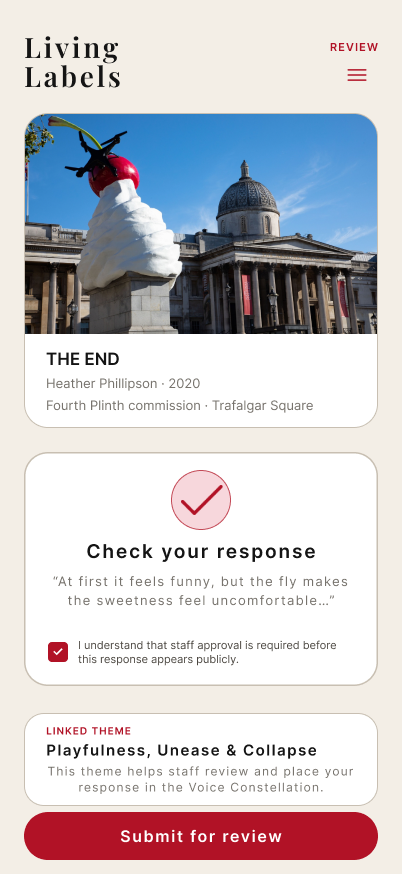
During a personal visit to Unique Dream of Red Mansion in Langfang, movement, light and sound prompted attention and curiosity before extended explanation. This informed a simple physical invitation followed by optional interpretive depth.

Design response → a quick emotion response, followed by optional exploration.

The three early concept-feedback participants are separate from the later prototype trial.

02

Three Connected Touchpoints

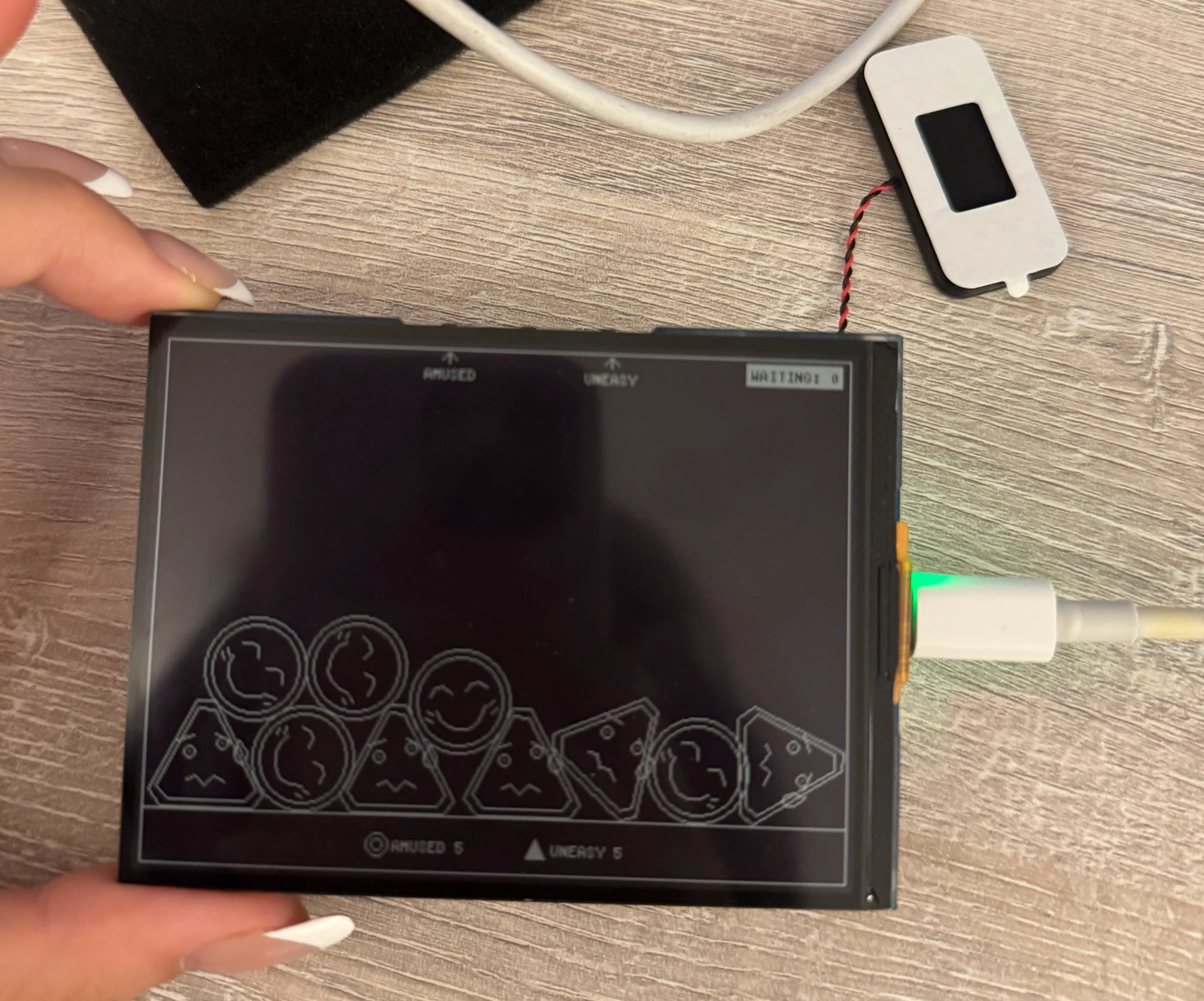
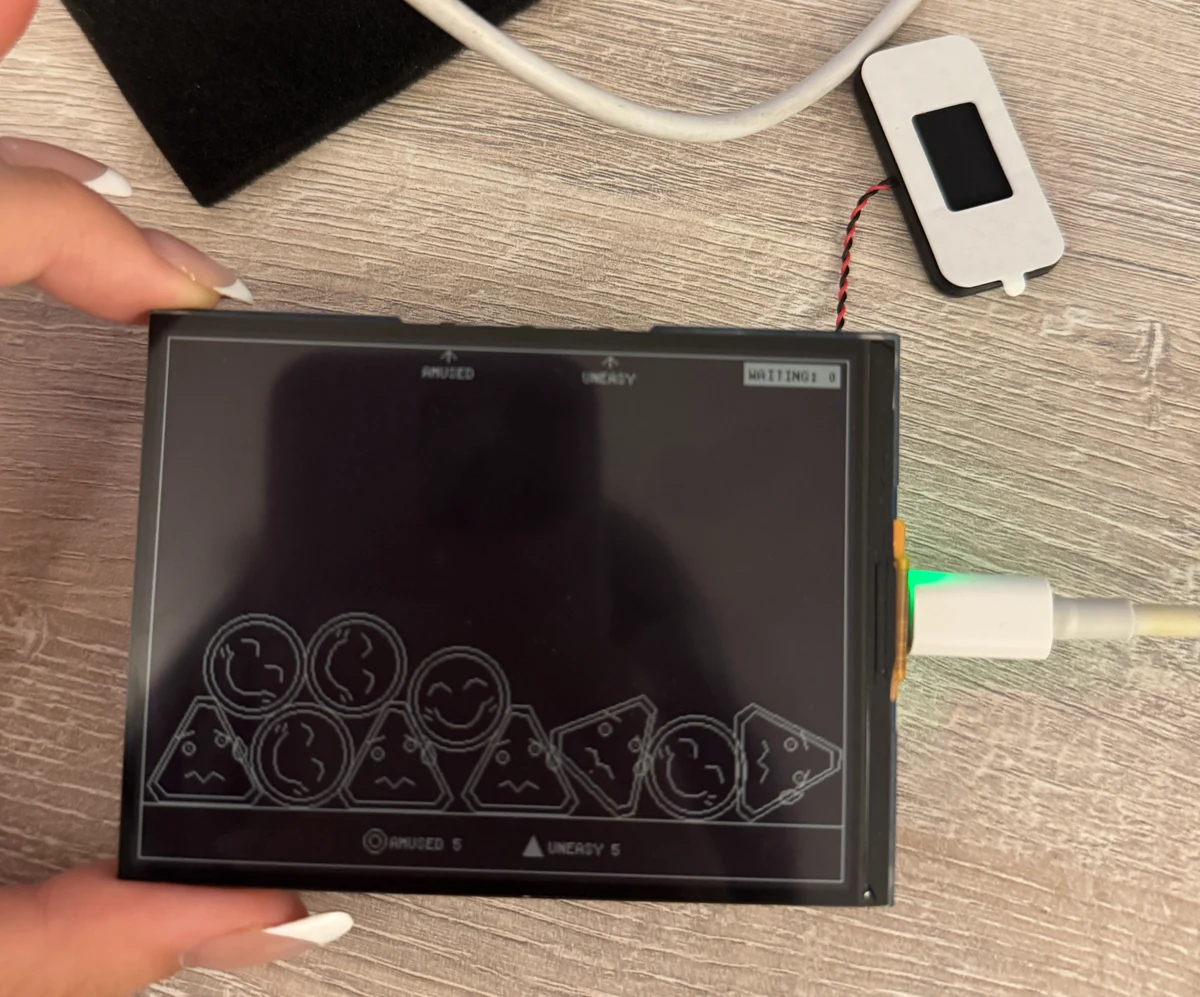
The RLCD device, with accumulated emotion expressions and physical buttons.Physical emotion response
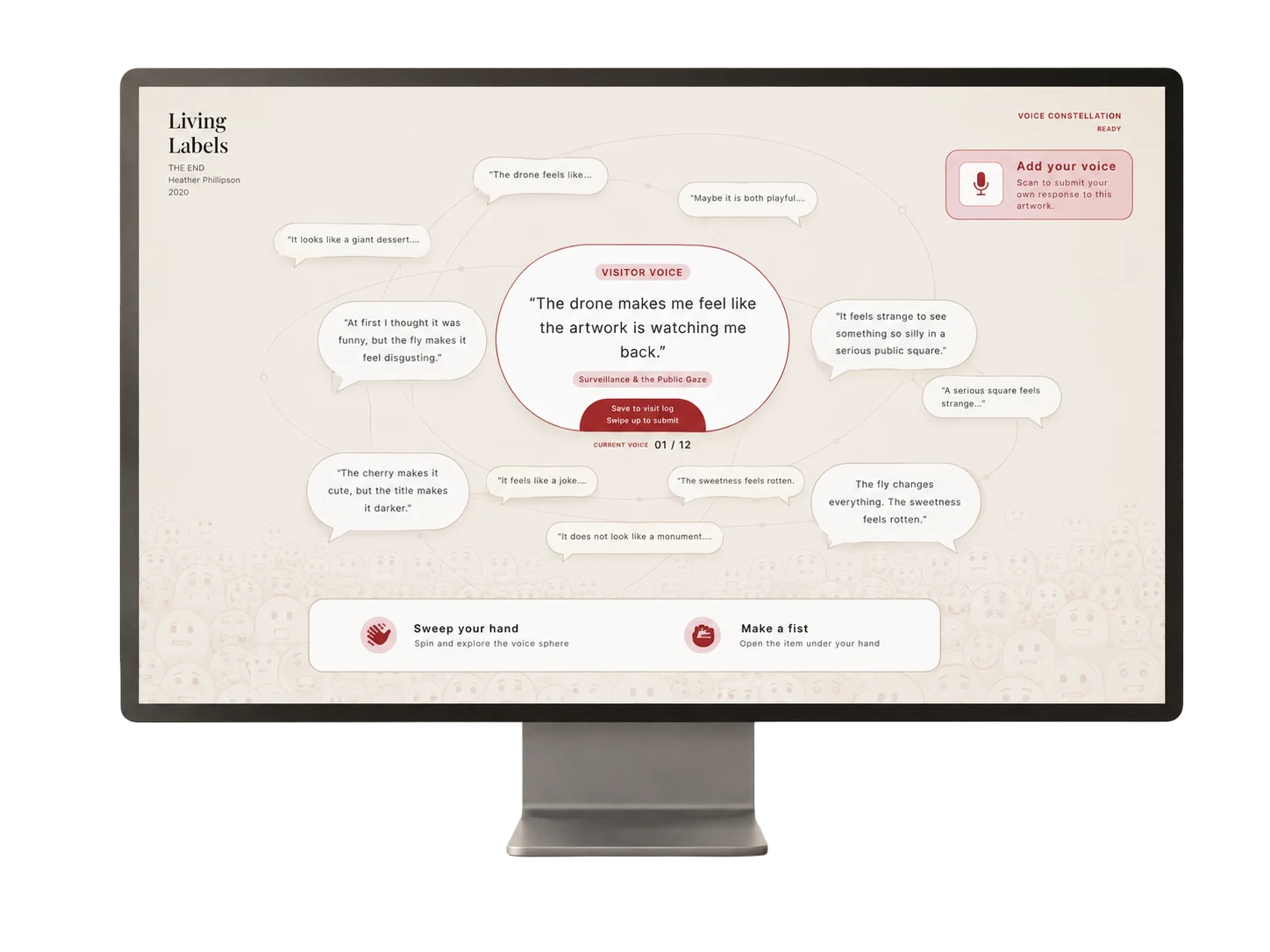
Public-interface presentation: a selected visitor voice surrounded by other perspectives.Shared perspectives
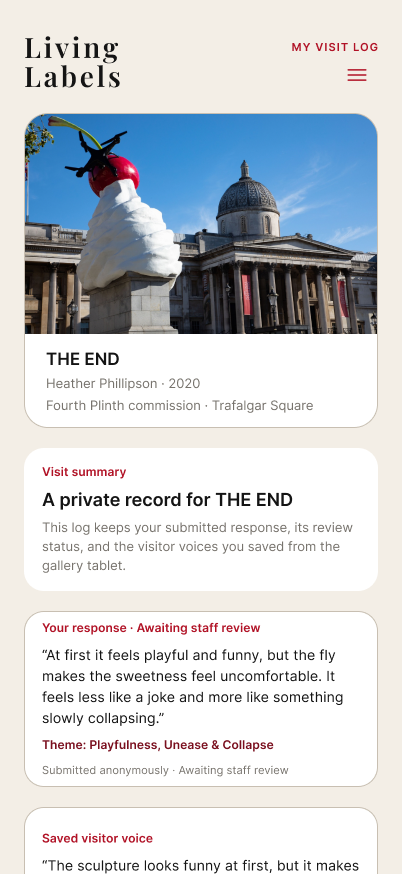
Complete My Visit Log design with a private record, contribution status and saved visitor voice.Personal continuation

One connected system, different depths of participation

  1. Look at the artwork
  2. Respond quickly / explore shared voices
  3. Open related interpretation
  4. Choose to continue on a phone

Private saving

  1. Selected voice
  2. Voice-ID QR
  3. Confirm & save on phone
  4. Private visit log

Public contribution

  1. Add a response
  2. Review submission
  3. Pending review
  4. Manual approval
  5. Public constellation

Saving and contributing are optional, separate choices. Visitors do not need to complete every step.

Physical input → local feedback + emotion eventSupabase connects events and the public pageMobile contributions use the same backend
Participation paths between the three touchpoints.

Emotion Wall

Respond with one action

Physical button → immediate screen feedback · silent operation excerpt.

AMUSED / UNEASY

A press creates an expression, sound and counter feedback. Responses fall, collide and settle into a collective trace. The connected emotion event also appears as a quiet background layer on the public page.

AMUSED and UNEASY offer two quick responses to the example artwork.

Button guidance, a waiting queue and local feedback support consecutive responses.

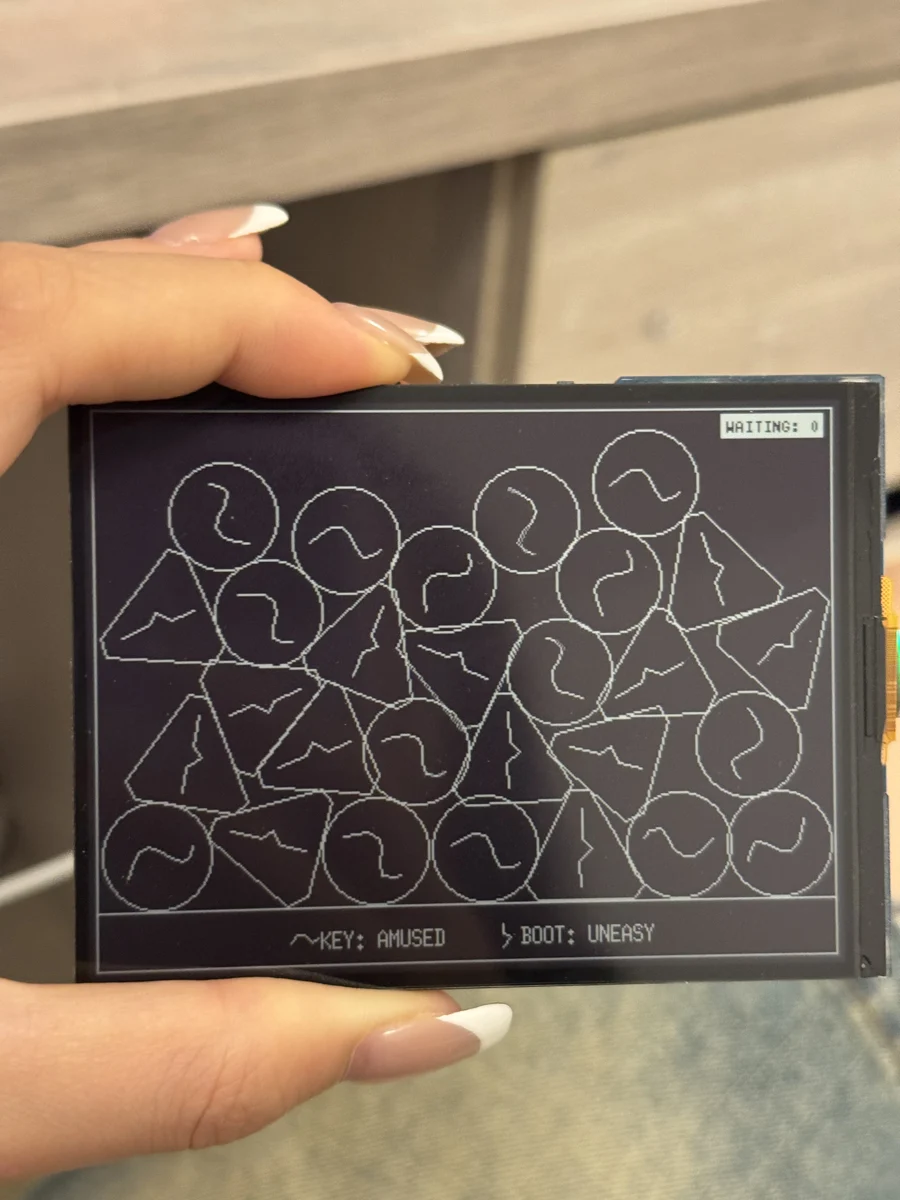
Expression graphic iteration

Abstract lines became difficult to distinguish after rotation and overlap. I returned to simplified expressions so that different responses remained distinct as they accumulated.

Abstract line experiment on the RLCD display.
Abstract line experiment
Simplified faces with distinct expressions on the physical display.
Simplified expressions

Voice Constellation

From one voice to several interpretations

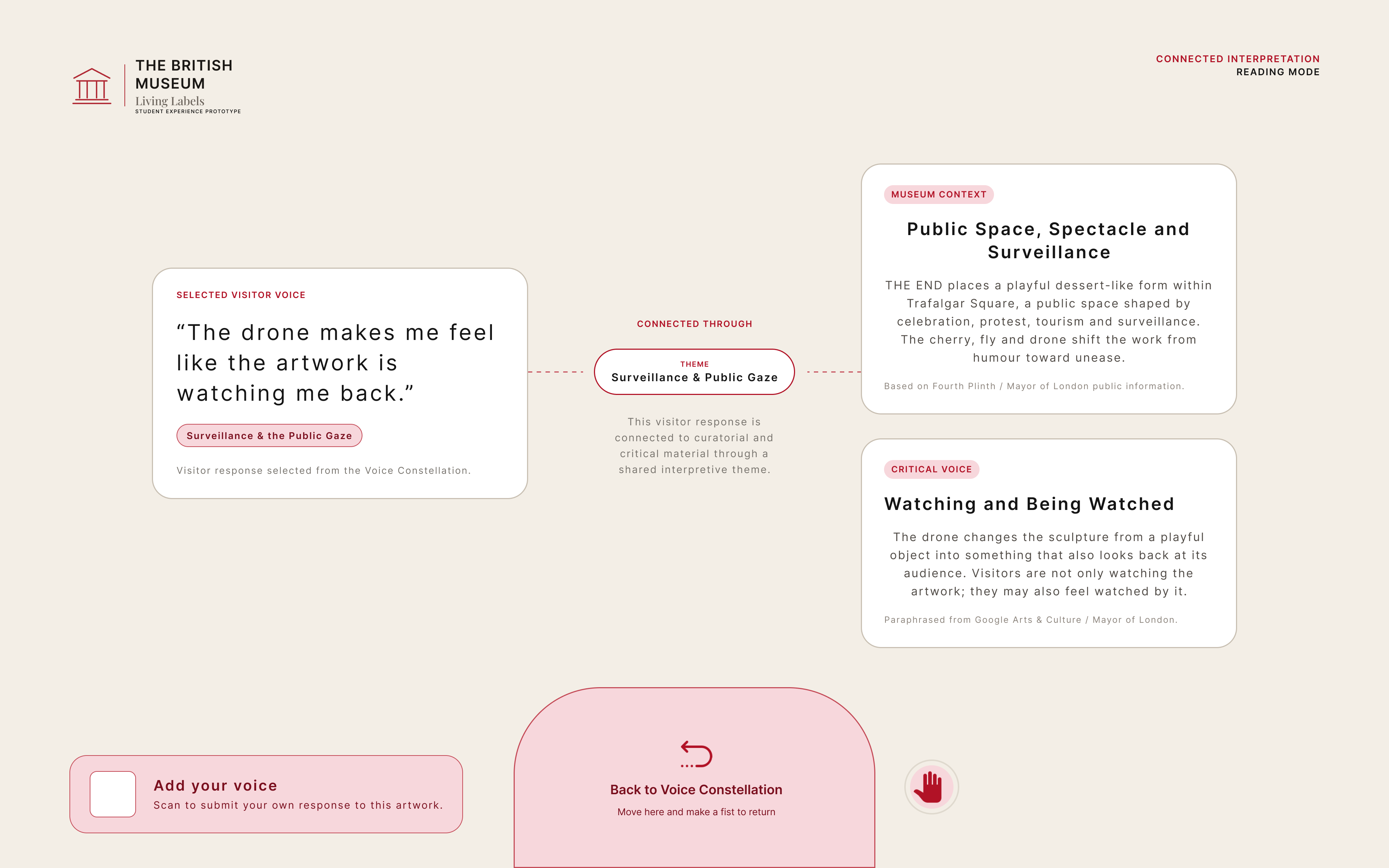
A selected visitor perspective (Voice) connects through a shared theme to Museum Context and Critical Voice. Other perspectives sit alongside interpretation, retaining curatorial knowledge without prescribing a single correct answer.

Connected interpretation Figma design: a visitor perspective about the drone connects through Surveillance & Public Gaze to Museum Context and Critical Voice.
Connected interpretation · Figma design

Design example: “The drone makes me feel like the artwork is watching me back.” → Surveillance & Public Gaze → Museum Context / Critical Voice.

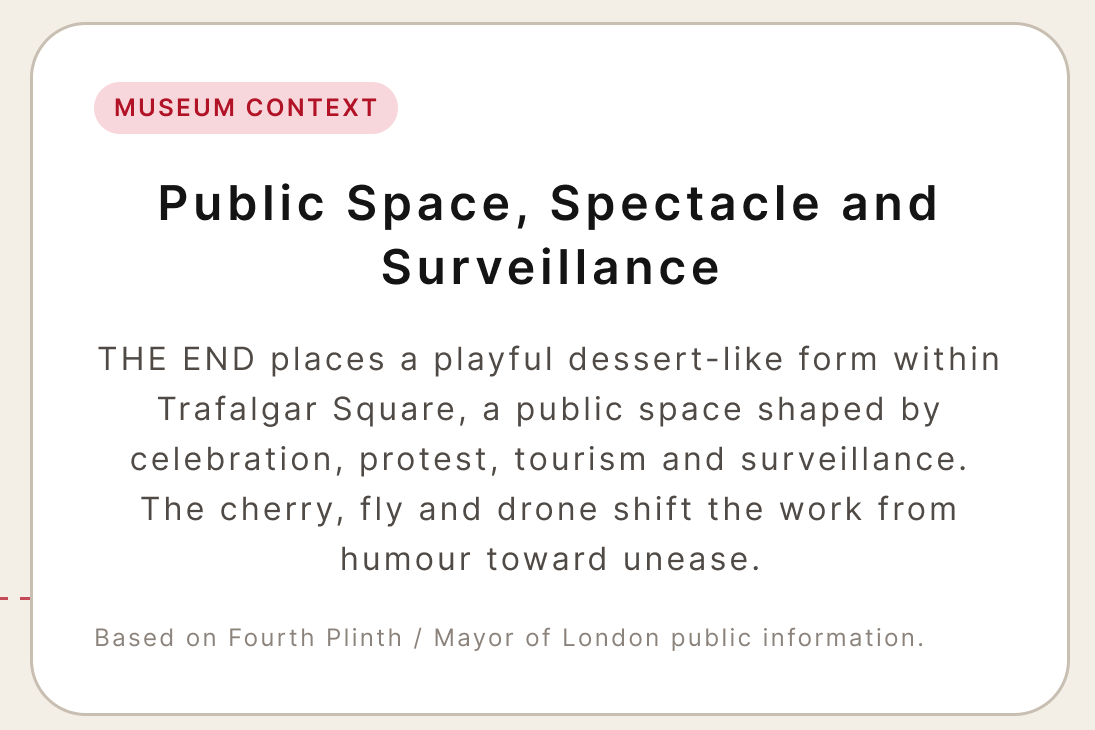
Detail from the connected interpretation Figma design: Museum Context card, including its source attribution.
Museum Context detail · Figma design
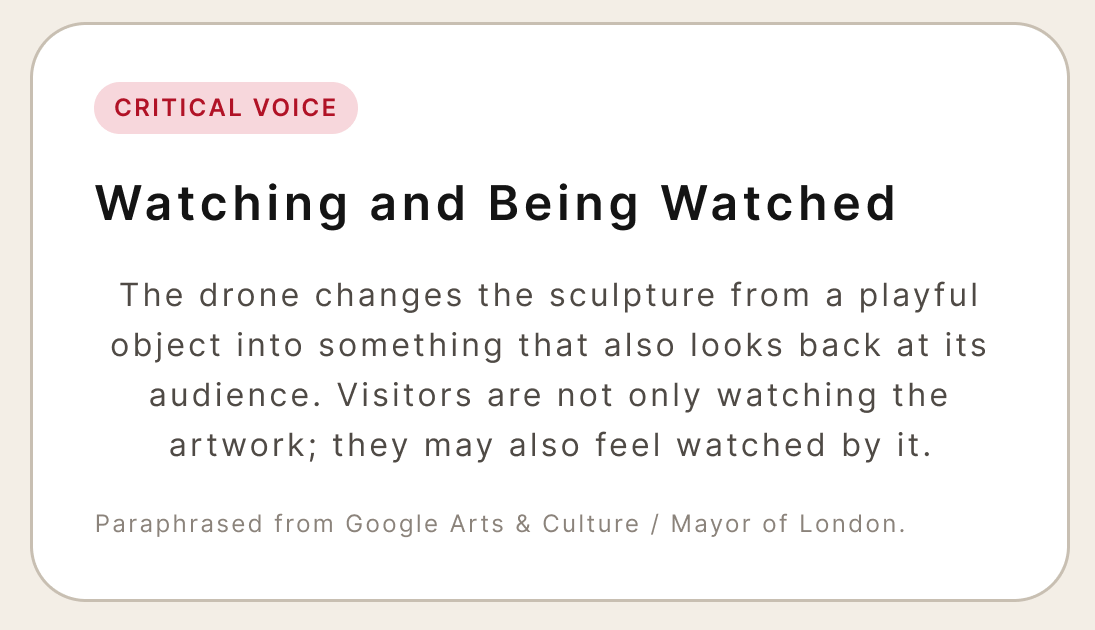
Detail from the connected interpretation Figma design: Critical Voice card, including its source attribution.
Critical Voice detail · Figma design
Public gesture interaction demonstration.
Wave an open hand
Browse visitor voices
Make a fist
Open the selected voice and related interpretation

The final public display uses a computer; the Redmi tablet was a development and performance-test device.

Visitor perspectives and interpretive copy are prototype examples; their sources need verification before exhibition use.

Visitors can take the selected voice to their phone or submit a response of their own.

Explore the mobile companion →
Replay the full demonstration ↑

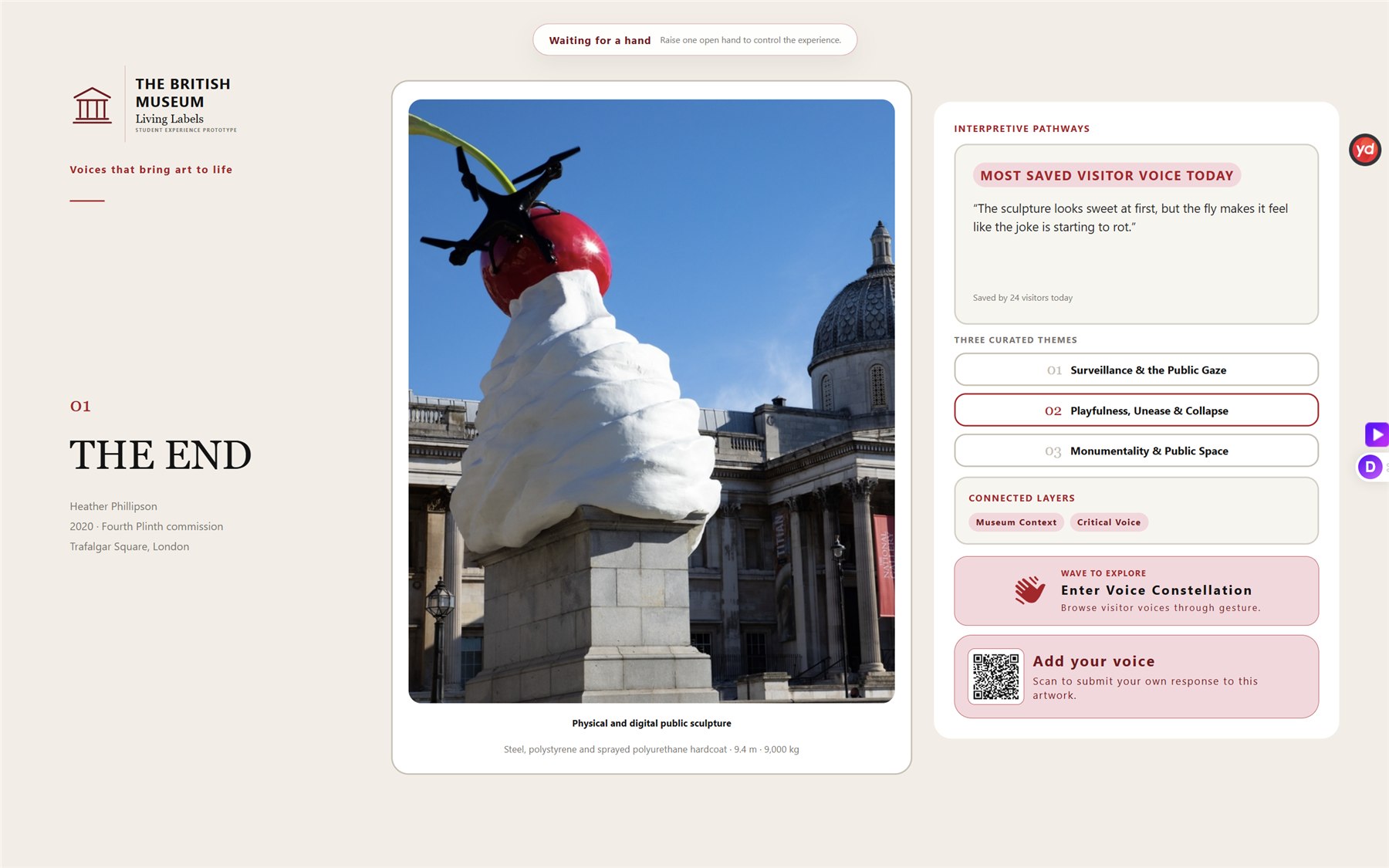
Example artwork: The End by Heather Phillipson (2020), originally commissioned for the outdoor Fourth Plinth in Trafalgar Square. The indoor prototype uses artwork imagery and reference content; the example is replaceable.

03

Mobile: Private Saving & Public Contribution

Keep a voice privately

Scan the corresponding QR code to continue with the selected visitor perspective and artwork context on your phone. Save it in the phone’s browser and revisit it in My Visit Log.

Contribute to the shared conversation

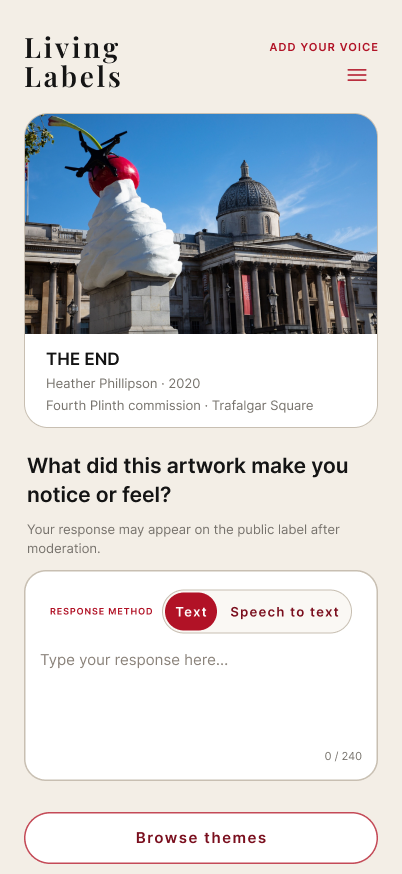
Visitors can type or use editable speech-to-text, choose a theme and identity, and review their response before submitting. New contributions remain pending until approved for the public constellation.

Figma design

Key mobile screens · select to enlarge

Choose how to respond

Focus: text or editable speech-to-text input.

Complete Add Your Voice design with text and speech-to-text choices.

Review before submitting

Focus: response preview and public-review rules.

Complete review screen with response preview and approval acknowledgement before submission.

Keep a visit record

Focus: contribution status and privately saved voices.

Complete My Visit Log design with personal response, review state and saved visitor voices.
Flow demonstration · 18.1 seconds

Mobile Flow Demonstration

Earlier Figma walkthrough; a separate review step was added later.

04

Design Decisions & Validation

Development and trials informed three key adjustments: the physical display’s role, the operating device and the gesture controls.

01

Give the physical display a distinct role

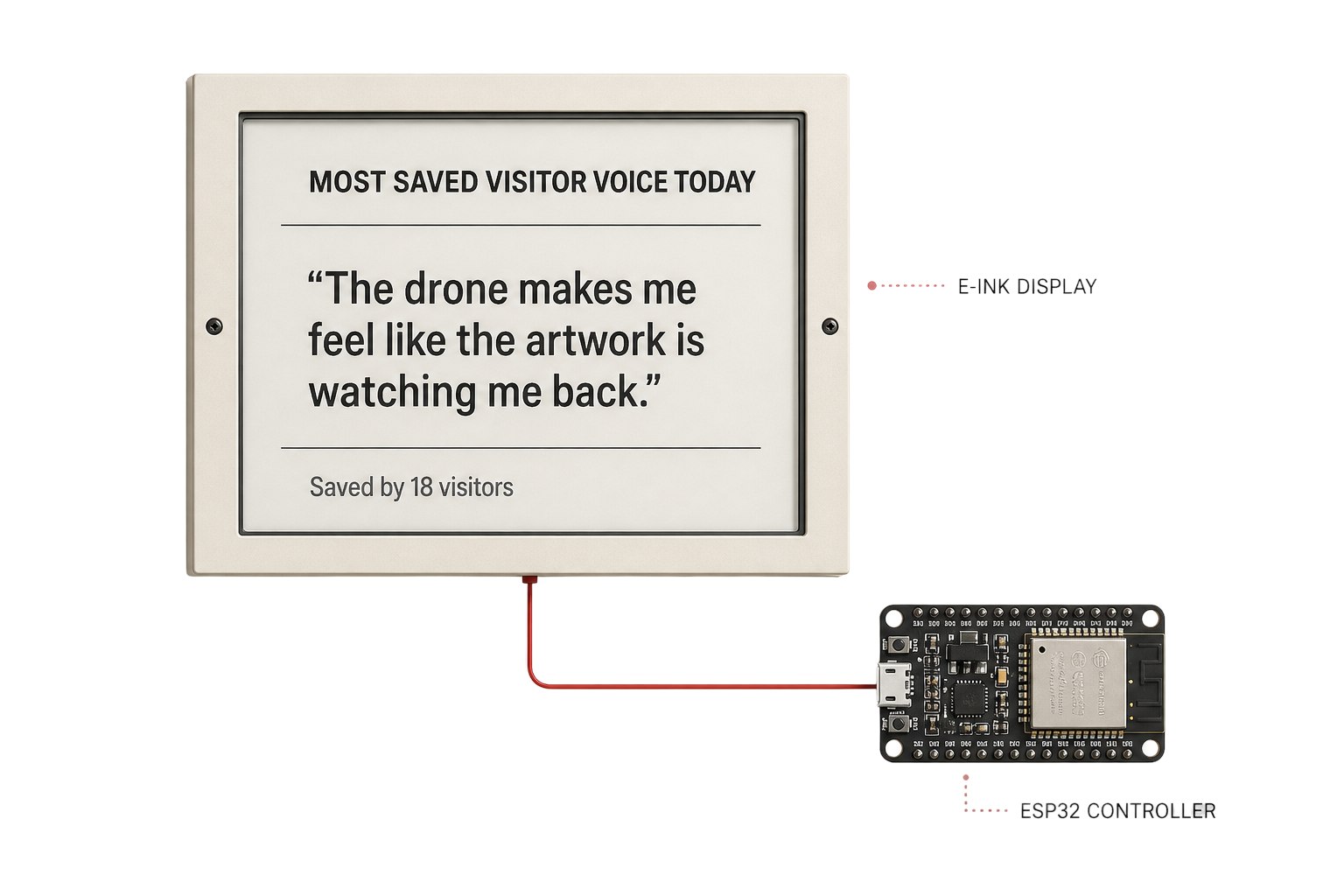
The original E-Ink proposal showed the most-saved responses, repeating content already available on the website. I changed the physical role to quick emotion response and collective accumulation; integrated RLCD / ESP32-S3 hardware also made implementation more practical.

“Most Saved” belongs to the early proposal. It is not the final private-save mechanism.

Original E-Ink proposal showing most-saved responses before the physical role changed.
Early E-Ink proposal
02

Prioritise gesture response

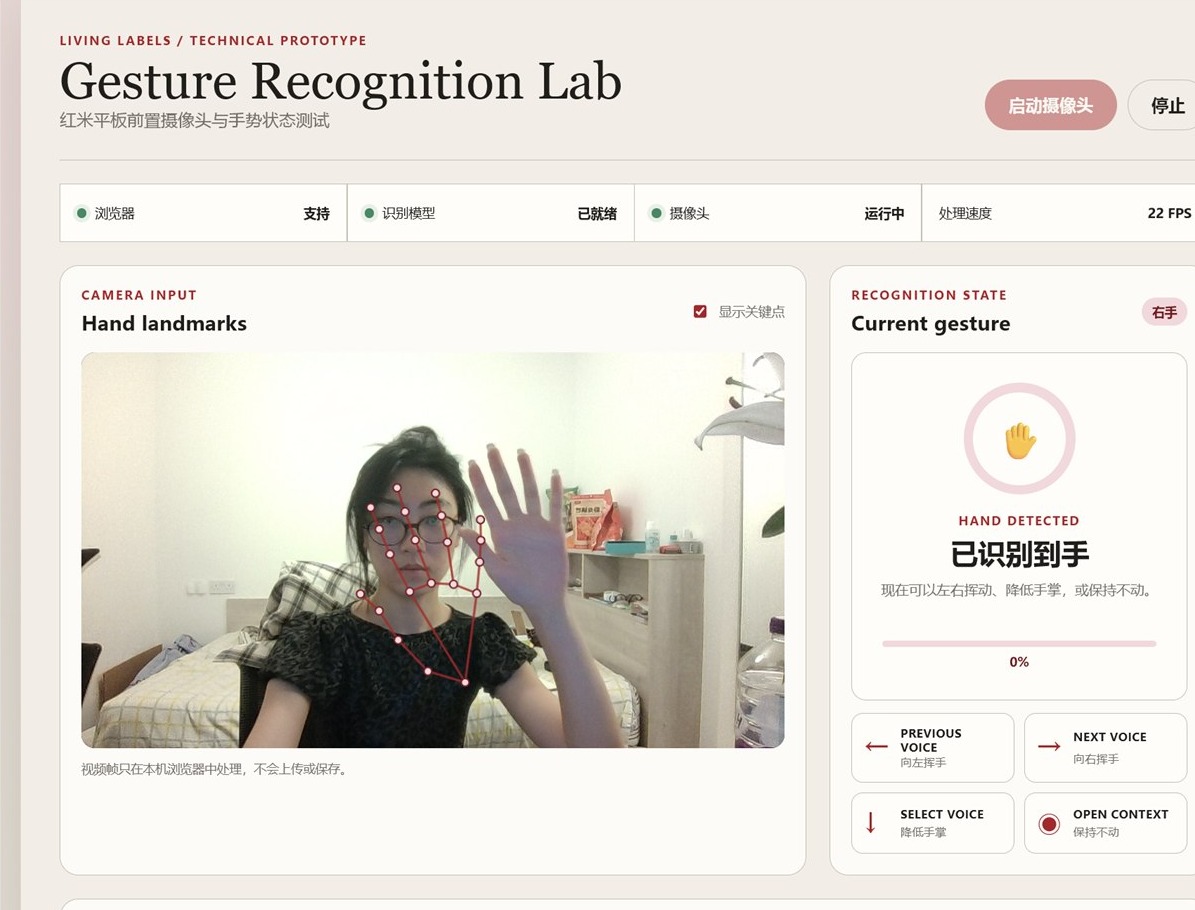
Device test readings

Laptop test: about 22 FPS

Redmi tablet: about 4–6 FPS

The target tablet’s low frame rate made the early hold rule difficult to complete reliably. I adjusted detection, tolerance and camera input load. Although hold detection could complete, overall response remained constrained by the device, so the final public gesture interaction runs on a computer.

Laptop Gesture Recognition Lab with hand landmarks and recognition status.
Gesture recognition test interface
Device tests and detection adjustments

The early rule required four stable samples in 320 ms. At approximately 22 FPS, that window could contain around seven frames; at 4–6 FPS it contained only one or two. I changed to time-based stability, a short grace period and more tolerant detection, reduced camera input to 640 × 360 and added cooldown. Hold detection could complete, while the tablet’s overall response remained constrained. These adjustments concern the development-stage hold detector; the final visitor actions are wave and fist.

03

Use two actions to separate browsing and opening

Earlier lowering and holding gestures could be confused with natural movement. I simplified the final interaction and required the hand to reopen before another confirmation could be accepted.

Wave
Browse voices
Fist
Open selected voice

Reopening the hand resets confirmation, readying the system for the next selection.

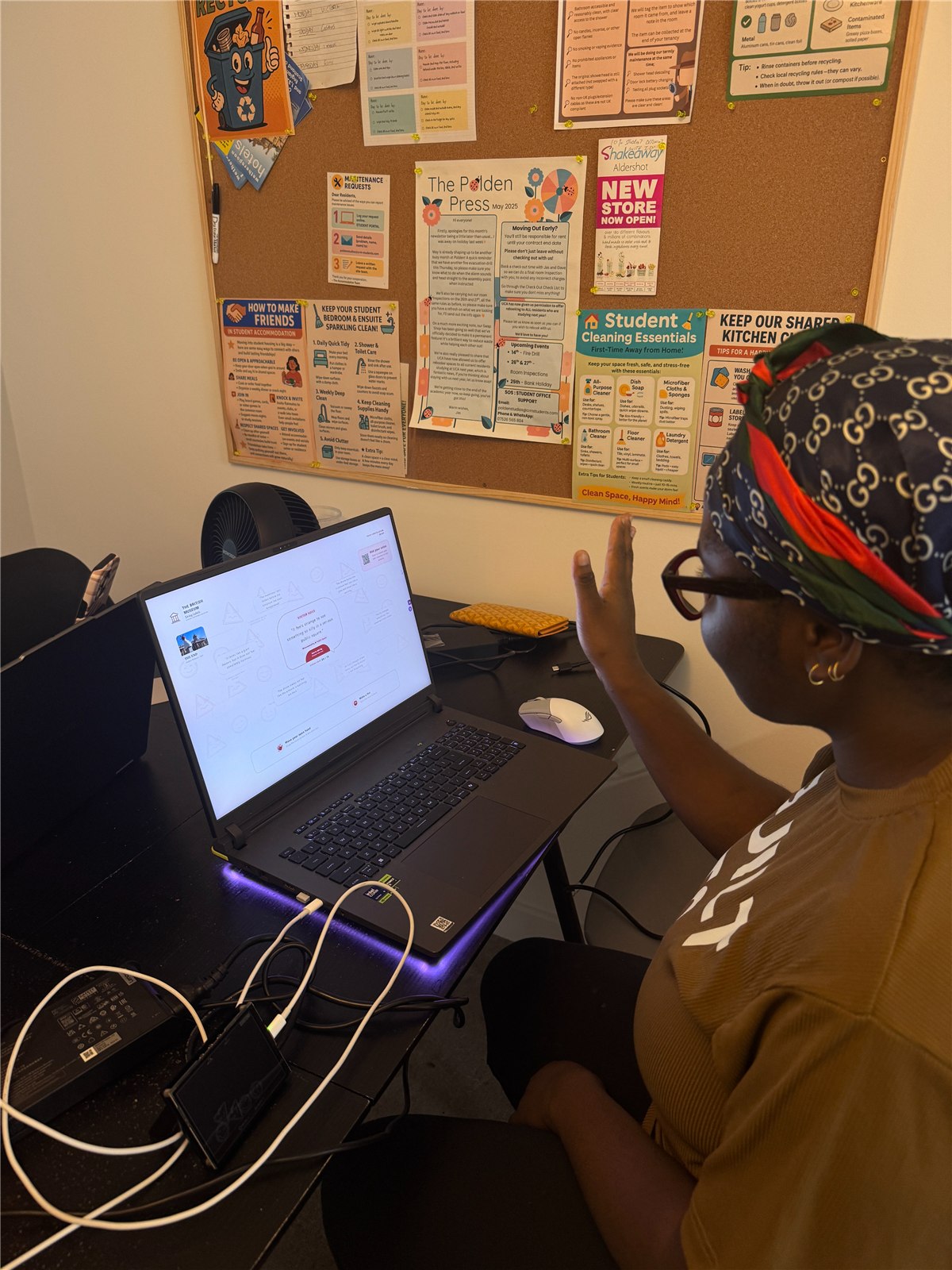
A participant trying the connected prototype during an informal session.
Prototype trial

3 participants · informal trial · qualitative reflection

Trial feedback and adjustments

Trial notes: three participants tried physical responses, gestures and mobile continuation. Issues were reconstructed from the session and subsequent changes; no verbatim transcript was recorded.

Observed issueAdjustment
Unclear QR destinationCarry the selected voice ID and show a content preview
Typing interrupts the visitOffer editable speech-to-text
05

Outcome, Adaptation & Next Steps

The connected prototype links physical input to the public emotion layer and carries selected voices to a phone. Private saving remains separate from reviewed public contribution.

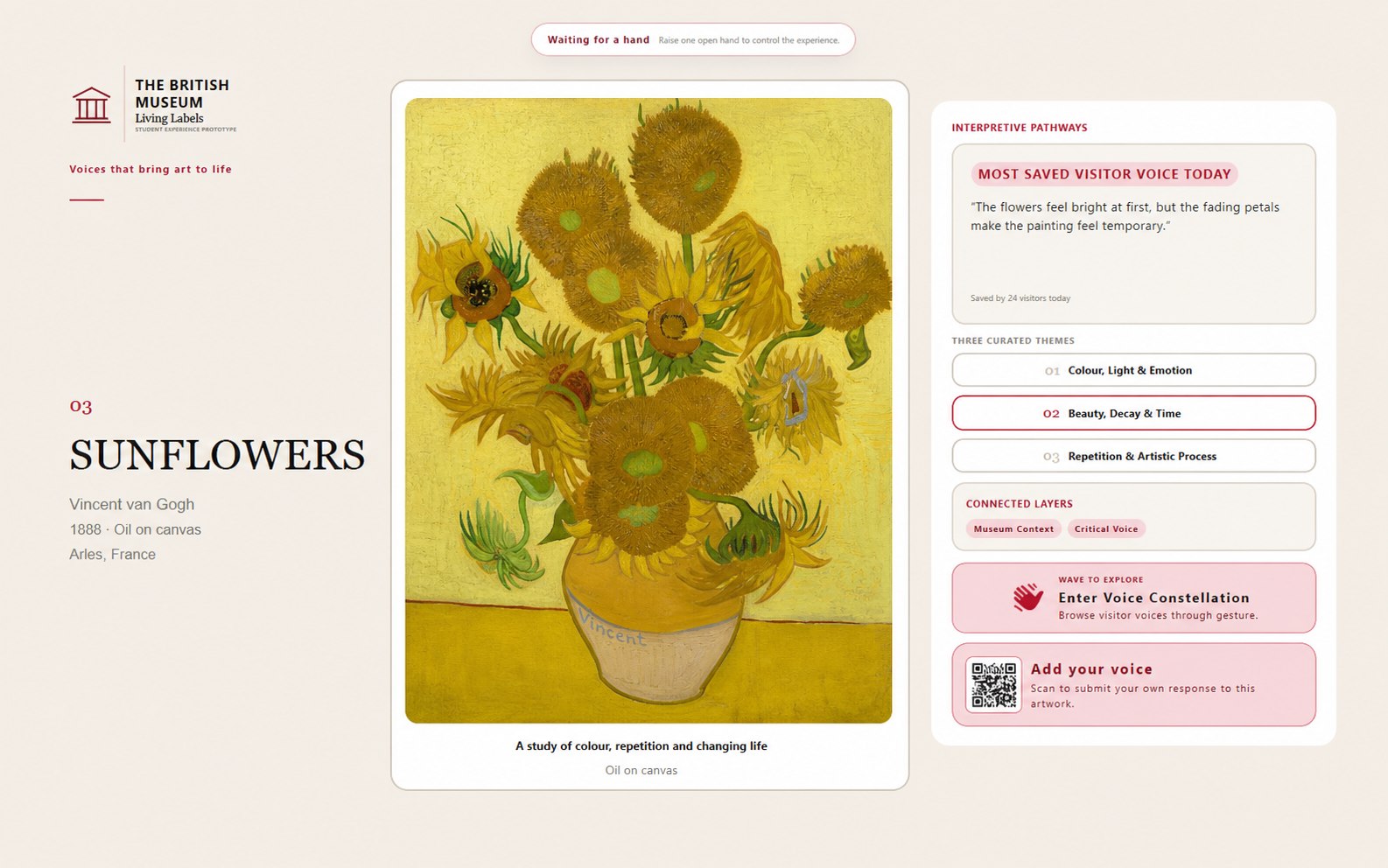
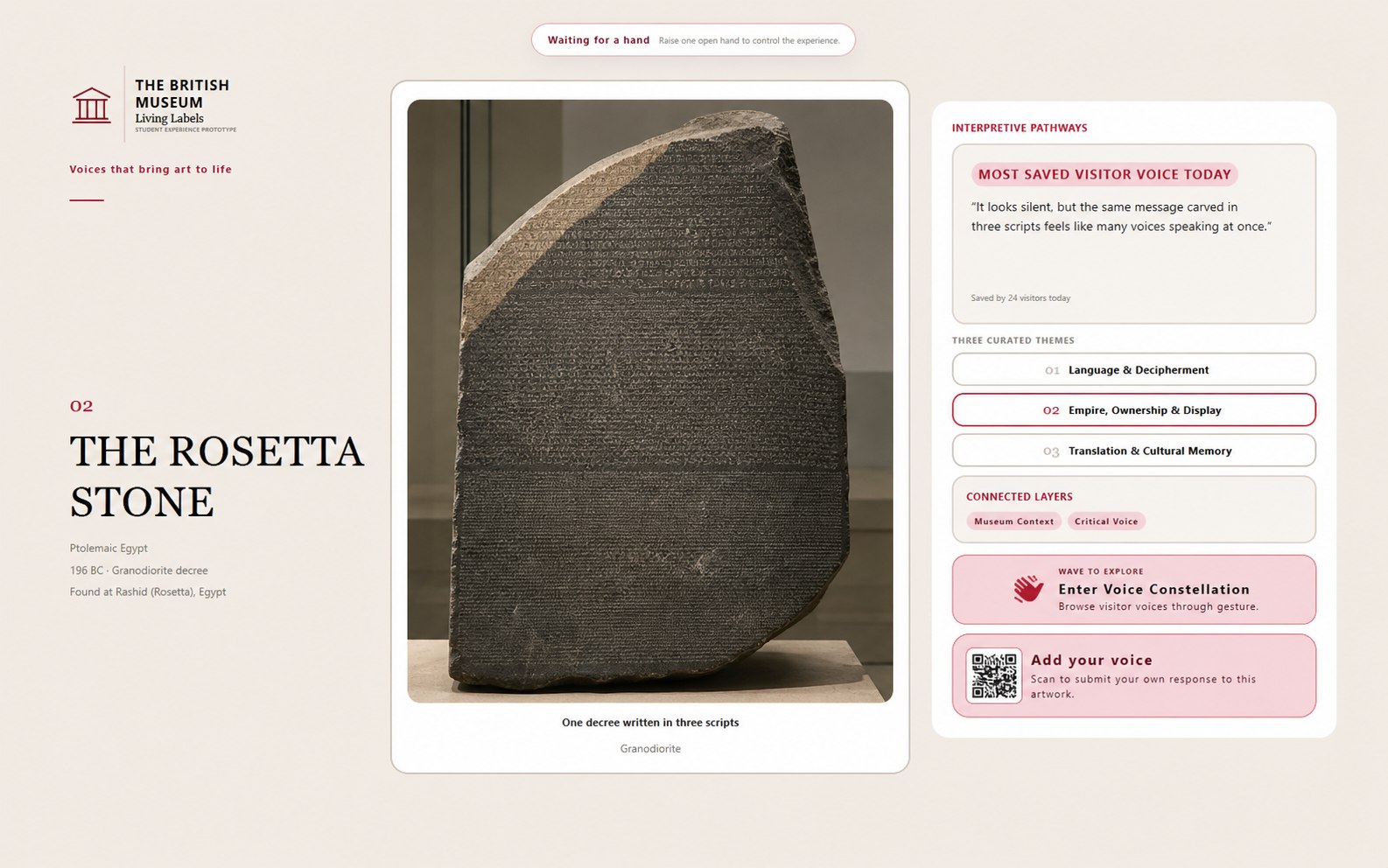
Artwork adaptation

Complete The End artwork adaptation design.

The End

Developed prototype
Complete Sunflowers artwork adaptation design.

Sunflowers

Design adaptation example
Complete Rosetta Stone artwork adaptation design.

Rosetta Stone

Design adaptation example

Select an adaptation image to inspect it at full size.

Reusable interaction structure

Layered participation, public exploration, cross-device continuation, private saving and reviewed contribution.

Content curated for each artwork

Artwork imagery and information, emotion prompts, themes, and curatorial and critical materials need fresh curation for each artwork and display context.

Next steps

  1. Broader use testing

    Test complete tasks across different light, crowds, devices and visitor conditions.

  2. Accessibility and privacy

    Validate equivalent non-gesture paths and clearly explain camera processing.

  3. Content and museum operations

    Verify interpretive sources and develop dedicated staff review, management and publishing permissions.